



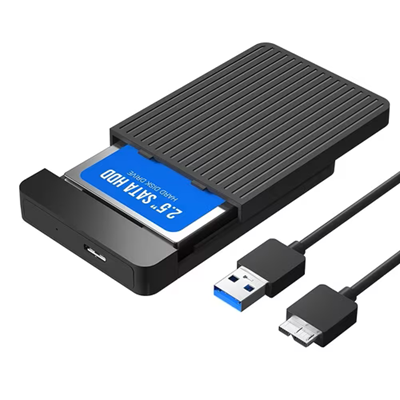
SATA Hard Disk Drive (HDD) Case
₦4,000.00
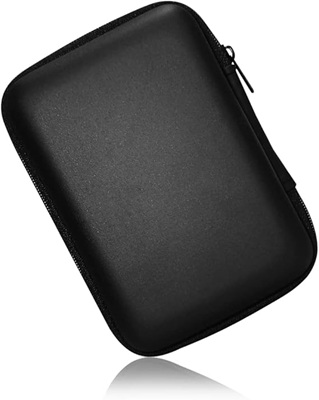
SATA Hard Disk Drive (HDD) Case A 2.5-inch SATA HDD enclosure is a compact, portable casing designed to turn an internal laptop hard drive or […]
Share item:
SATA Hard Disk Drive (HDD) Case
A 2.5-inch SATA HDD enclosure is a compact, portable casing designed to turn an internal laptop hard drive or 2.5-inch Solid State Drive (SSD) into an external USB drive. It serves as a protective shell and a bridge between the drive’s SATA interface and your computer’s USB port. It, however, does not come with a hard disk drive.
Physical Appearance and Build
- Size: It is slightly larger than a standard smartphone, making it highly portable and pocket-friendly.
- Materials: Typically constructed from lightweight plastic (for budget options) or brushed aluminum (which provides better heat dissipation and durability).
- Exterior Ports: Features a single data port (usually Micro-B, USB-A, or USB-C) and a small LED indicator light that blinks during data transfers.
Internal Components
- SATA Connector: Inside the case is a small circuit board featuring a male SATA data and power connector. The drive slides directly onto this connector.
- Bridge Chipset: This internal chip converts the drive’s SATA signals into USB signals so your computer can read the data.
- Shock Absorption: Many models include small foam pads or rubber bumpers inside to keep the drive snug and absorb minor vibrations.
Key Features
- Bus-Powered: It draws all necessary power directly from your computer’s USB port. It does not require an external power brick or wall outlet.
- Tool-Free Design: Most modern 2.5-inch enclosures feature a slide-open cover, allowing you to install or swap drives in seconds without using a screwdriver.
- Hot-Swapping: You can plug it in and unplug it while your computer is running, exactly like a standard USB flash drive.
Related products
₦5,500.00
₦10,000.00
₦6,000.00
₦3,500.00